
- Browse to www.office.com
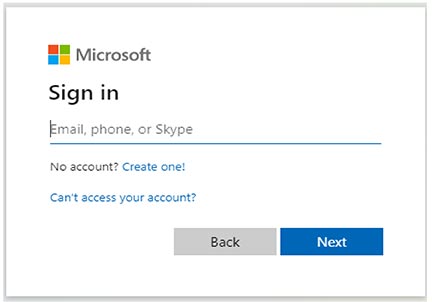
- Click the Sign In button
- Click the link: Can’t access your account?
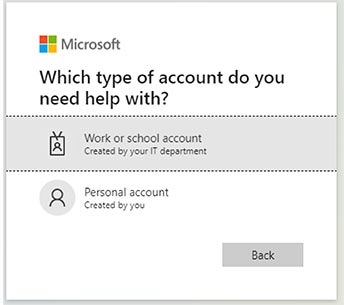
- Select Work or School
- On the next page, enter your city email address and the characters you see below.
- Select the option to Text My Mobile Phone or Call Mobile Phone. Enter your phone number in the next box.
- You will receive a code via call or text at the number you entered. Enter this code in the next box.
- On the next screen, enter your new password and confirm it on the second line. The change may take up to 30 minutes to save across the network.
Skip To Menu
Skip To Content
Skip To Accessibility Options
Skip To Language Options
X
Search ProvidenceRI.gov
If you are having trouble finding what you are looking for, try using one of the helpful links below to get started.

If you are having trouble finding what you are looking for, try using one of the helpful links below to get started.
Public Safety
City of
Providence |
Mayor Brett Smiley
Providence |
Mayor Brett Smiley

